Mobile Controls in Void Muscle HYDRA
Portrait mode hides your Codes field. Rotate to landscape before you miss a redemption.
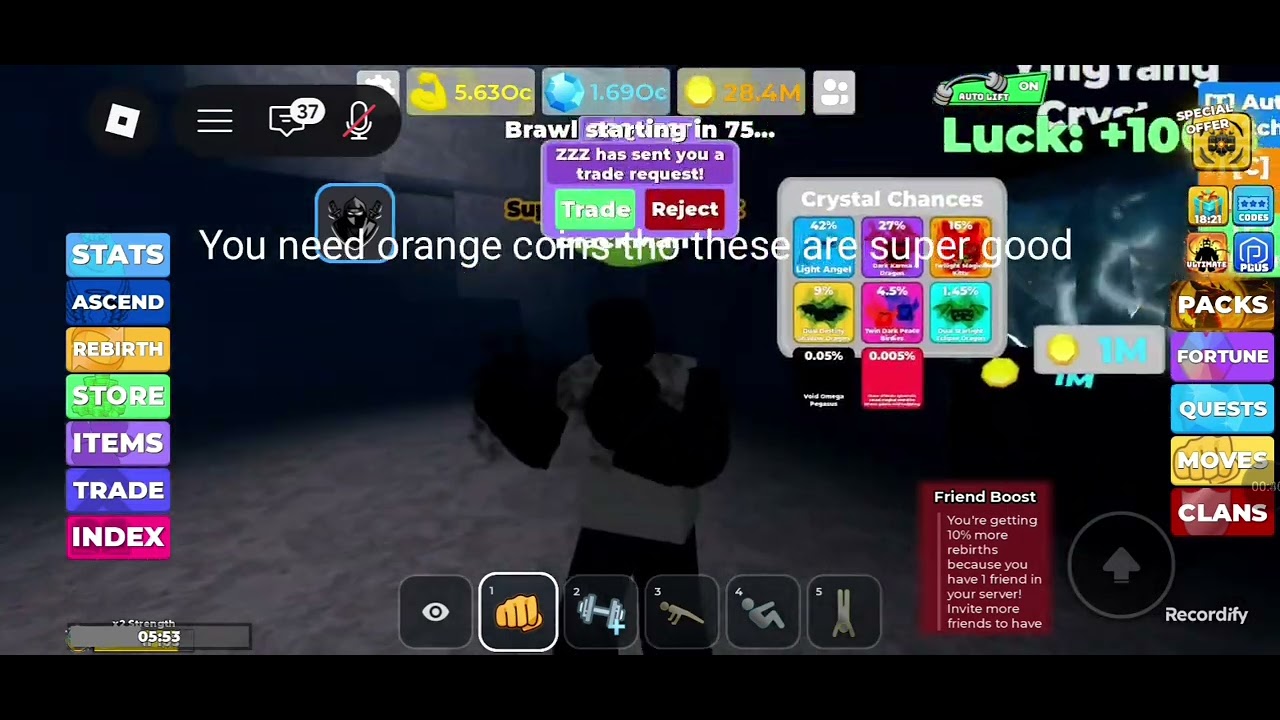
Void Muscle HYDRA runs on mobile, but the chrome is built for landscape. Portrait mode stacks the right HUD vertically, which buries the Codes field under the keyboard input. This page is the orientation checklist, the touch layout, and the workarounds for the inputs that appear to vanish.
Use it with how to redeem when Codes disappears and hud-and-controls for the full button map.
The portrait problem
On portrait mobile, the right HUD stack (Codes, Packs, Fortune, Quests, Ultimate, Claim) renders above the keyboard input. The Codes field specifically is the most missed redemption button because it sits at the bottom of the stack and overlaps the text field. Players think they are in the wrong menu when the Codes button is actually covered.
The fix: rotate to landscape before you open Codes or any right-stack button. Landscape aligns the chrome horizontally and exposes the full stack.
Landscape orientation
Landscape mode also helps with:
- Gym interact prompts — the Infernal Gym door prompt can hide behind the left stack in portrait. Landscape shows the prompt cleanly.
- Trade confirmations — the Trade button pane is wide. Portrait truncates the pet card and makes fat-finger confirms more likely. Landscape keeps both cards visible.
- Crystal prompts — Void Crystal and secret egg stands can render partially off-screen in portrait on smaller devices.
- Chat and the HUD stack — chat can eat the right stack in full-screen mode. Landscape gives both more room.
Rotate by pulling the notification shade and tapping the rotation icon, or by physically turning the device.
Touch layout in landscape
- Left side — movement joystick (virtual, appears on first touch). Also tap-to-move in tap mode.
- Center — jump button, interact prompt when near a machine or prop.
- Right side — the HUD stack: Codes, Packs, Fortune, Quests, Ultimate, Claim. Tap to open.
- Bottom bar — lift button, camera toggle, weather, multiplier chips, settings.
- Top bar — Strength, Gems, Gold Coins. Visible in both orientations.
Portrait workarounds if you cannot rotate
If landscape is not possible (device limitation, accessibility):
- Hide chat by tapping the chat X or the hamburger menu.
- Close all panels (Shop, Items, Index) before opening the right stack.
- Tap the screen once to dismiss the keyboard if it opened by accident.
- Scroll the right stack upward to reveal Codes at the top instead of the bottom.
These are imperfect. The full Codes field still may not render correctly in portrait on small screens.
Shift-lock and auto-run
Shift-lock (hold the movement stick in one direction) works on mobile. It is the equivalent of PC shift-lock. Some players bind it to a corner button using accessibility settings, but that is device-level, not game-level.
Auto-run (toggle to run without holding) is not an in-game option. Use a third-party macro is not recommended — see script safety.
Camera and visibility
The eye icon on the bottom bar toggles camera angle. On Infernal Gym pads with multiple players, switching to a wider angle helps you find an open spot. Portrait mode makes this harder because the camera toggle is partially obscured.
Mobile players on the Infernal pad should also be aware that Durability matters more when you are harder to control — a Void-line pet with Durability helps you stay on the machine. Pet tiers.
Multi-touch on mobile
- Two-finger drag — camera orbit. Useful when the interact prompt is behind your character.
- Pinch — zoom. Limited by the game UI, not always available.
- Single tap on machine — start reps. The lift button at the bottom does the same thing automatically if you have a boost.
Related
Getting Started for the first session. HUD and controls for the full button map. Codes and how to redeem when you cannot find the redemption field.
Frequently Asked Questions
Quick answers to the most common questions.
Why cannot I see the Codes button on mobile?
Portrait mode covers it with the keyboard. Rotate to landscape and close chat.
Is landscape required?
Not strictly, but it fixes most visibility issues with the right HUD stack and interact prompts.
Can I rebind mobile controls?
No in-game rebinding exists. Device-level accessibility settings may offer alternatives.
Does auto-run exist?
Not as an in-game toggle. See script safety before looking at third-party options.