Trading in Void Muscle HYDRA
The Trade button sits next to Items. That is how Super Solin Hydra leaves accounts.
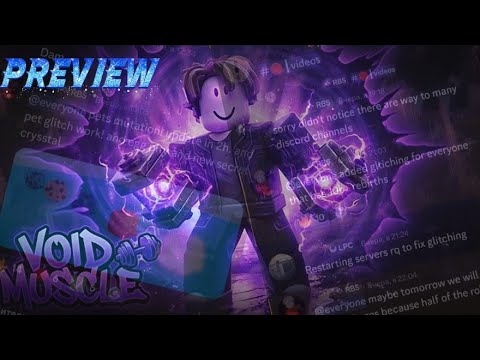
Void Muscle HYDRA has a Trade button on the left HUD stack, next to Items and Index. It is not a clan. It is not a gym. It is a window where pets, copies, and sometimes currency change owners. Most players should keep it closed until they understand pets and eggs and Hydra.
This page is the decline-first rules. Pair with clans for the social version of the same mistake and script safety if someone DMs a “trade bot.”
How the Trade button works
Open Trade from the left stack. You invite or accept a nearby player. Both sides put items in. Both confirm. There is no Roblox Customer Service restore for a bad confirm. Screenshot Items page and the trade pane before you accept. If the other side adds a pet with a similar name and a worse roll, that is the scam.
Close Trade before you hatch. A full secret-egg window plus an open trade is how copies vanish mid-click. Secret egg.
What you should never put in
- Super Solin Hydra or any Hydra-line evolve copy you still need
- The only Void-line pet that beats your equipped Strength
- Event / Master / Unique tagged pets from a live crystal window
- Stacks of Gold Coins meant for Void Crystal
Evolve food is not “spare.” Hydra eats specific copies. Trading the duplicate you need for the evolve is how people reroll a week. Hydra pet.
Scams that already show up in this genre
- Name spoof — a filler pet renamed to look like Hydra. Check the card stats, not the title.
- Add-then-swap — they add the real pet, wait, swap to junk before you confirm. Watch the pane until the confirm lights.
- Trust trade — “I’ll give Hydra after you go first.” No.
- Group recruiter — Buy Clan plus a trade for “entry pets.” Clans.
- Script restore — anyone who needs an executor to “hold the pet” is not a trader.
Public gameplay clips (including the mid-article Void Muscle HUD footage) are for reading the chrome, not for copying a YouTuber’s admin inventory into a trade.
When a trade is actually reasonable
- Duplicate filler after you already equipped a better Strength + Durability roll
- A named event pet you will never evolve, swapped for a Void-line you will
- Gem-side junk for a luck boost you will use in the next hatch planner window
Even then, screenshot. Even then, one item at a time. Even then, decline if the other account is minutes old.
Trade vs Index vs Items
Items is what you own. Index is what you have seen. Trade is what you are willing to lose. Do not flex Hydra in Trade to “show stats.” Show the Items card in chat with a screenshot if you must. Flexing inside the trade pane is how the confirm happens by accident on mobile.
After DATA FIXED
If a pet vanished, do not trade “replacements” from strangers. Check data-fixed and live bugs. Illegal or bugged rolls can disappear in a repair. Buying one in Trade is buying a wipe.
Related
HUD and controls for the button. Pets and eggs for what the card should show. Script safety for DM links. Guides hub.
Mobile confirm accidents
Portrait Trade plus a fat-finger confirm is the most common Hydra loss after scams. Landscape, both cards visible, one item in the pane. If the other player adds a second item while you are scrolling, cancel. HUD and controls covers why landscape exists. After a good trade, leave the window before you hatch a secret egg.
Frequently Asked Questions
Quick answers to the most common questions.
Can I get a traded Hydra back?
Not through this wiki and not through Roblox support for a confirmed trade. Screenshot before you accept.
Is trading required to beat Infernal Gym?
No. Hatch limited crystals and sit the pad on gym tiers. Trade is optional and risky.
Someone offered Robux for my pet in chat.
Decline. Off-platform Robux is a scam. Keep Hydra on the account that hatched it.
Should I trade during a crystal window?
No. Hatch, screenshot Items, then consider duplicates. Secret egg.